SSRS - End user report builders.Worth it?
My recent unwanted comment spam has reminded me to materialise some thoughts that have been in the back of my mind for a while now.
It's been interesting to watch in recent years the attempts to come up with a good way for end users to build their own reports without the need for SQL skills or a Visual Studio license; a valiant quest but nonetheless a difficult one. Around the time of the initial RS2000 release several development shops raced to come up with a something that MS would (hopefully) buy and then incorporate into the Yukon product. The successful company was Active Views and their product eventually became what we now know as Report Builder. As far as I am aware Active Views' main pre-Yukon competition was Cizer.
The initial gripe many had with RS2000 was that we had to have a VS2003 license in order to design reports. This was because of RS' early completion date and MS' decision to get it to market prior to releasing Yukon, hence the need to retro-fit report development into VS2003. Enter Cizer and Active Views et al. A big part of the value proposition was "you don't need to buy Visual Studio 2003 to build reports! All you have to do is buy our product" ;) Now that the Visual Studio shell (for BIDS) is shipped with the SQL Server 2005 license some of the shine has come off this proposition (if it was indeed that shiny in the first place).
Now, don't get me wrong, I think the concept of users building their own reports is great, as long as the users actually build reports (and then use them). Maybe I have been working for the wrong clients but I've rarely (if ever) encountered a company that employs any/enough so-called power users with adequate skills and enthusiasm coupled with complete lack of SQL skills to justify the purchase of one of these apps to build simple reports. Either you're a geek or you're not, this is rarely much in between.
As report developers we have all seen endless demos of SSRS in both the 2000 and 2005 incantations, and possibly demos of varying flavours of end user report builders. All report demos are supposed to be simple and easy, we all know that - it's part of the sales process. Then we cross the reality gap as we walk back into the office. When did you last build a production SSRS report whose requirements were so simple it could be built in under 5 minutes using drag & drop only? When was the last SSRS report you built that did not contain even just a liiittle bit of complexity that the user just had to have? Not many right? I'm sure there may have been a few, but not many. Remember that the "little bit of complexity" may be something easy to a developer (say, a variable or some simple string manipulation) but to our power user it may be something they just can't (or don't want to) get their heads around. Default reaction: "Call IT!"
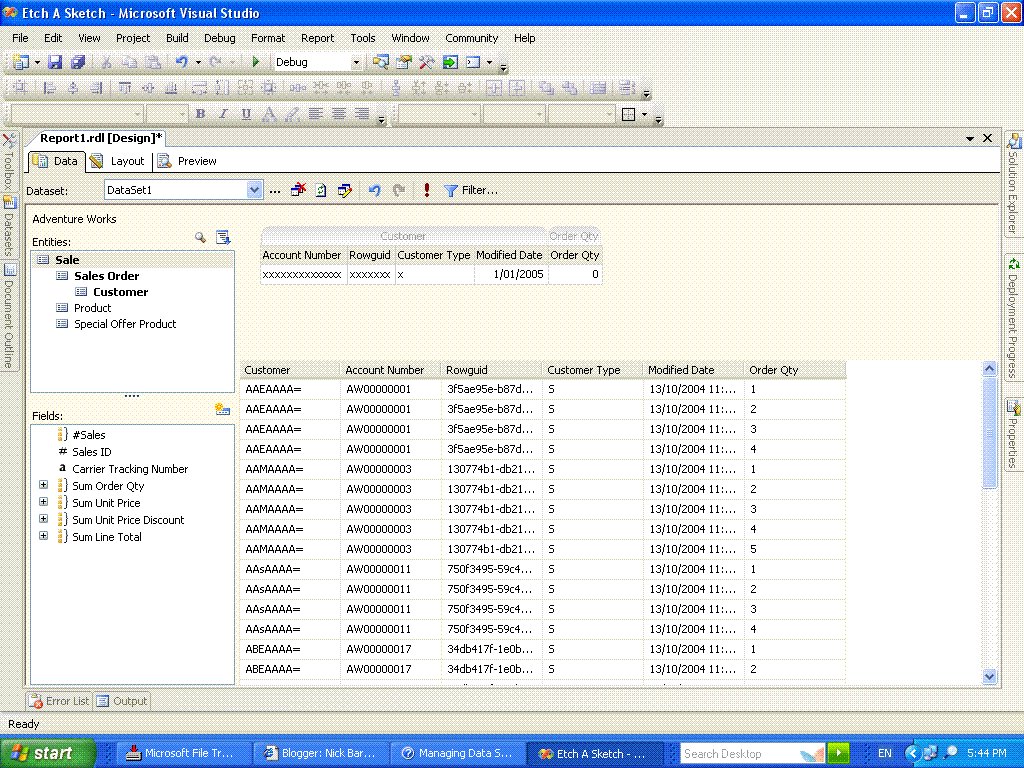
The power users who fit the non-SQL skilled, but tech-savvy enough to build useful reports are, IMHO, few and far between and rarely enough in number to justify buying another product on top of the original SQL Server license for writing simple reports. Remember, you get Report Builder included in said license, and it's a pretty good product (esp. when you consider the price). RB's use of a semantic data model which, if well designed and maintained, can be a useful reporting platform even for experienced developers. I know the other products have all sorts of funky bells & whistles that make for impressive demos, but in the end are they really going to get used properly? Like all of the other bundled SQL Server components, why not try to make use of Report Builder? It doesn't matter if you don't use it, you haven't paid anything extra for it. This is not to say "Report Builder is the best", it is one of several options, but it is easily the cheapest and most accessible. Regardless of what you think of RB - some love it others don't - it's certainly worth seeing how good your organisation's uptake of this kind of functionality is before shelling out $ for a piece of potential BI shelfware. Now, by shelfware I am not maligning the various products that are out there, just that BI products (no matter how good) are renowned for being quickly forgotten once the initial sales presentation hype has died down and business reality sets in.
Nonetheless I'm sure there must be some companies out there who are making good use of their end user driven report building tools. Who are they? Am I completely alone in my opinion here? Are the products actually being used to build reports or are they more useful for the report portal-type functionality many of them inherently provide?
Interested to hear what anyone thinks about this.